

Description
Optimize WordPress Cache – EasyWpTools Optimize Pro
Optimize WordPress Cache with EasyWpTools Optimize Pro, a premium WordPress-only cache and performance plugin built to help improve website speed, reduce load times, optimise assets and give users practical control over caching and performance settings directly inside WordPress.
This product is a downloadable digital WordPress plugin supplied as plugin file(s) such as .zip files for installation on compatible self-hosted WordPress websites.
It is designed for WordPress users, freelancers, agencies and website owners who want faster loading pages, optimisation tools and cleaner performance workflows.
WordPress Cache Plugin License & Support Policy
Purchase, activation, updates, downloads and support for this product are subject to our License & Support Policy.
All licenses include 12 months support from the purchase date unless otherwise stated on the product page. After that period, customers should use the EasyWpTools Support Hub, documentation, readme files and self-service help resources unless an exceptional account or access issue applies.
WordPress Cache Plugin Compatibility Notice
EasyWpTools Optimize Pro is designed for self-hosted WordPress websites.
It is not for Shopify, Wix, Squarespace, Joomla, Drupal, Magento, static HTML websites or non-WordPress platforms.
It should be used on supported hosting environments that allow WordPress plugins, normal PHP functions and standard file access.
We test the plugin with supported WordPress versions and common themes where reasonably practical, but compatibility with every third-party theme, plugin, host or future WordPress release cannot be guaranteed.
We strongly recommend using only one cache or optimisation plugin at a time.
Running multiple caching or optimisation plugins together may cause conflicts or unexpected behaviour.
Optimize WordPress Cache Features
Page Caching Plugin Tools
Improve page load performance using page caching with cache clearing tools.
Browser Cache Headers
Improve repeat visit loading times by applying browser cache headers for supported static assets.
HTML Optimisation
Reduce HTML output size where compatible to help improve front-end performance.
CSS Minification
Reduce CSS file size to help improve front-end loading efficiency.
JavaScript Minification
Minify supported JavaScript assets to reduce file weight where compatible.
WordPress Asset Manager / CSS & JavaScript Scanner
EasyWpTools Optimize Pro includes a built-in Asset Manager that scans frontend assets and helps identify the correct files to exclude when needed.
- Detects frontend JavaScript files
- Detects frontend CSS files
- Shows asset handles
- Shows file paths
- Shows full URLs
- Shows where assets were detected
- Shows whether assets are already excluded
- Copy handle or file path quickly
- Search and pagination tools for easier management
Detected frontend JavaScript and CSS assets
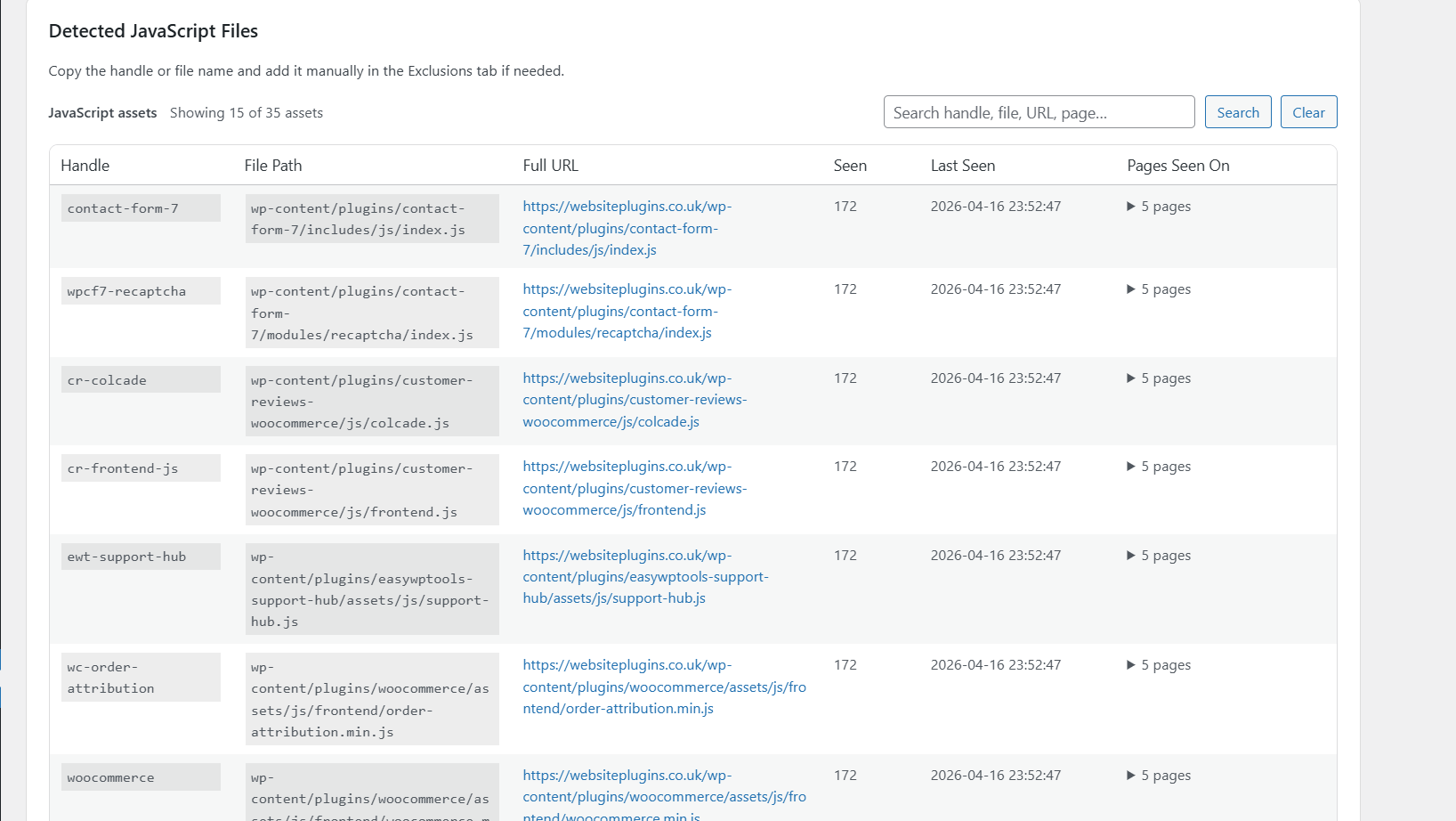
Asset Manager dashboard and plugin tabs
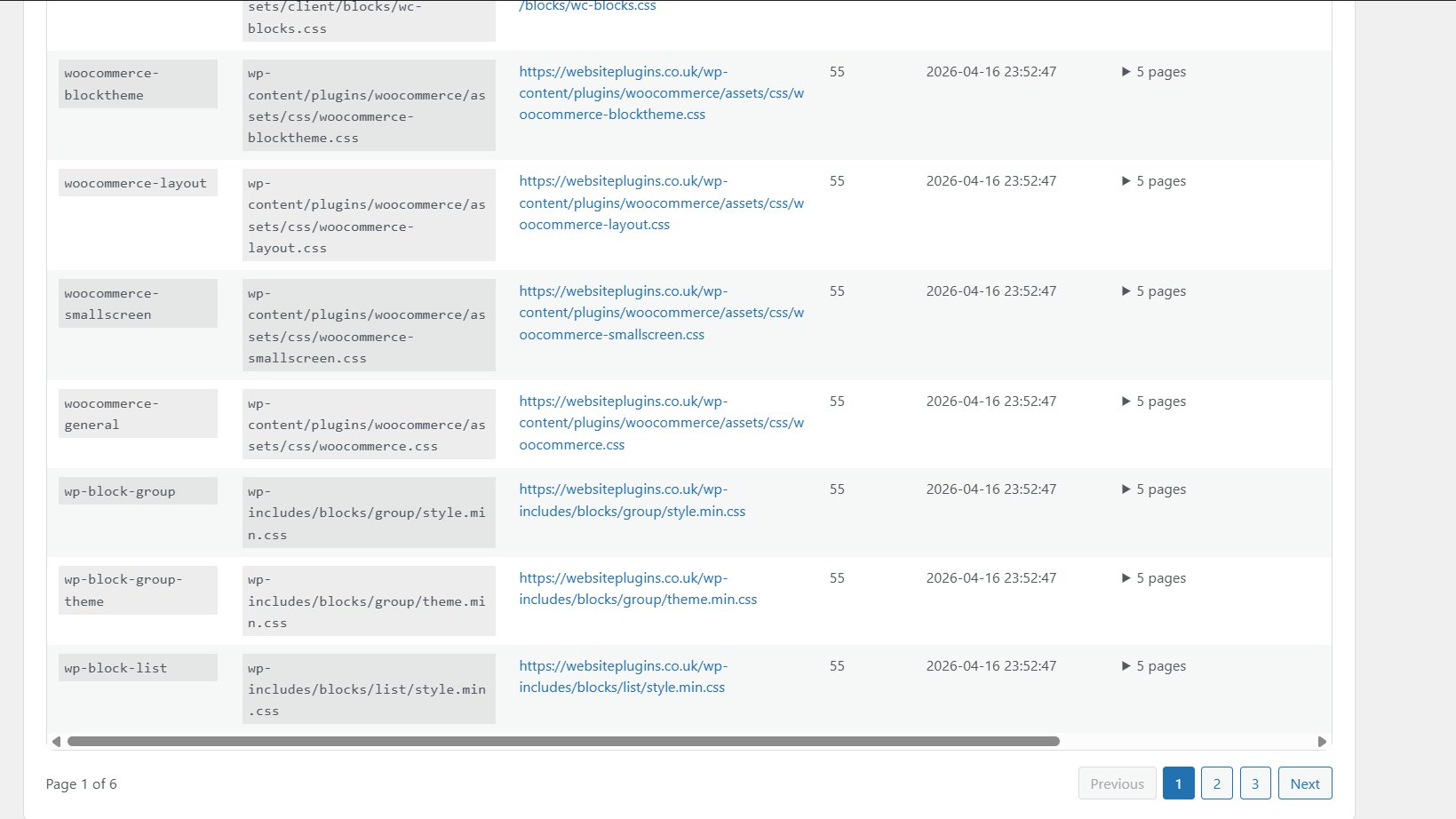
WordPress cache plugin essential performance features
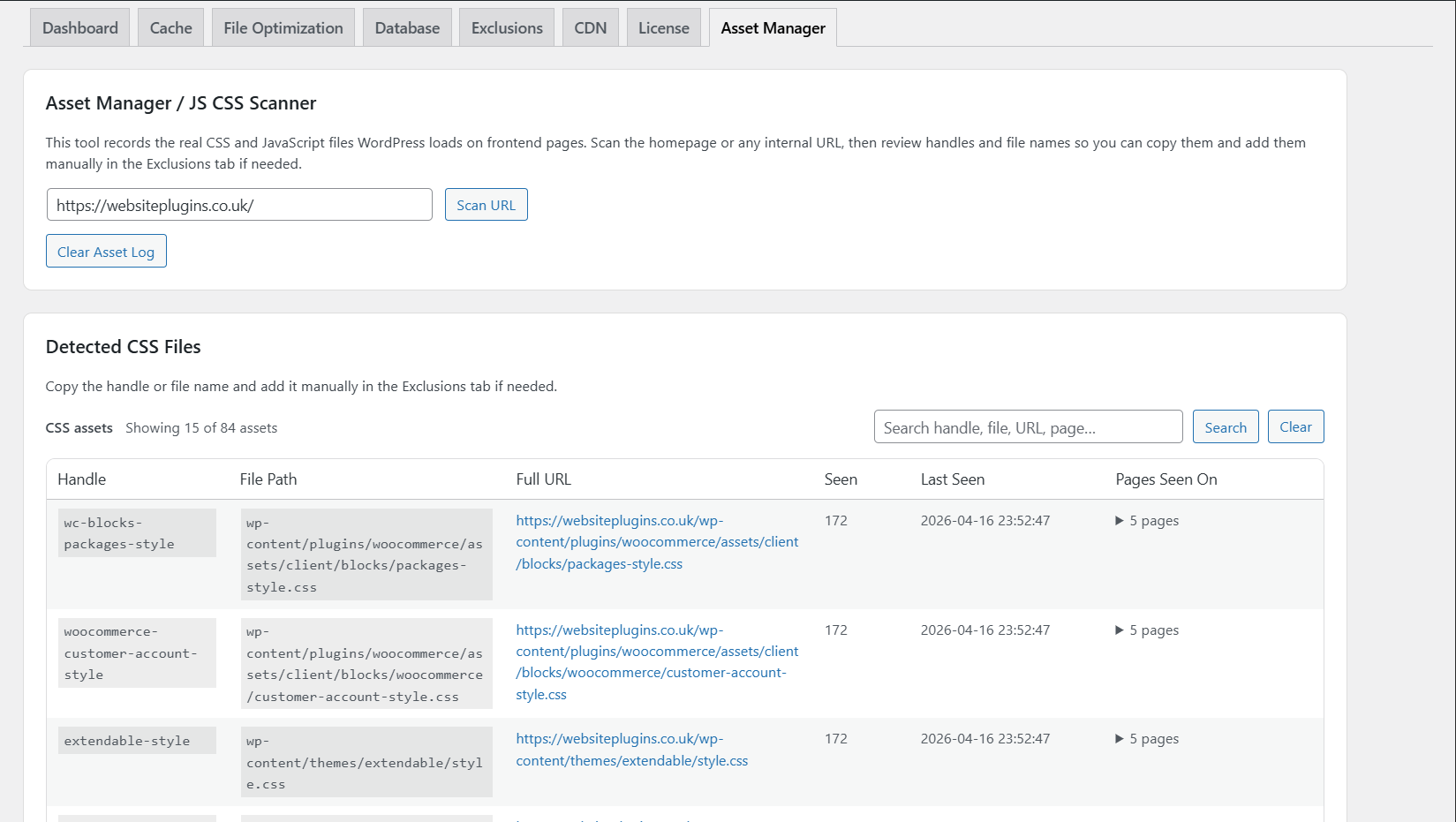
Database Cleanup Plugin Tools
Clean common unnecessary database items such as:
- post revisions
- drafts
- spam comments
- expired transients
- selected temporary data
Exclusion Controls
Choose content or assets to exclude from optimisation features.
- specific pages
- cookies
- user agents
- CSS files
- JS files
- selected URLs
CDN Support
Optional CDN integration for supported static asset delivery setups.
WordPress Performance Plugin for Dynamic Websites
Designed with controls commonly used for dynamic websites.
Examples may include excluding:
- cart pages
- checkout pages
- account pages
- session cookies
- selected bots
- specific URLs
- selected assets
Correct configuration remains the customer’s responsibility based on their website setup.
Database Cleanup Plugin Tools
Available tools may include:
- remove revisions
- clear drafts
- remove trash items
- clear spam comments
- remove expired transients
- optimise tables where supported
Always create a backup before running cleanup tools.
WordPress Cache Plugin License Options
Available license plans may vary at checkout.
- 1 Site License
- 5 Site License
- 10 Site License
- Lifetime options where offered
Licenses apply only to the number of sites purchased and include update entitlement according to the plan selected.
WordPress Cache Plugin Email Requirement
A valid and accessible email address must be used during checkout.
Your purchase email is used for:
- order confirmation
- license generation
- My Account access
- downloads
- updates access
- support identification
For activation, the purchase email should match the main administrator user profile email inside WordPress Admin → Users.
WordPress Performance Plugin Support Hub Access
Eligible Pro customers receive access to the Support Hub.
The Support Hub is the primary self-service support resource and includes help topics such as:
- downloading the latest version
- locating your license key
- installation guidance
- updates
- activation help
- common troubleshooting
- common plugin questions
WordPress Cache Plugin Updates
- compatibility updates
- bug fixes
- improvements
- feature updates
- maintenance releases
WordPress Speed Optimization Important Usage Notice
This plugin provides tools and settings. Final configuration choices are made by the customer.
We do not guarantee identical results on every website because speed and performance depend on many factors including:
- hosting quality
- theme quality
- third-party plugins
- image sizes
- traffic levels
- PHP version
- server setup
- website content
WordPress Cache Plugin Translation & Language Support
EasyWpTools Optimize Pro includes translations for:
- Albanian
- Italian
- Latvian
- Lithuanian
- Macedonian
- Serbian
- Bulgarian
- Croatian
- French (France)
- German
- Polish
- Russian
- Turkish
Additional languages may be added over time.
Optimize WordPress Cache Summary
Optimize WordPress Cache with EasyWpTools Optimize Pro for page caching, browser cache headers, asset management, database cleanup tools, exclusion controls and premium performance settings in one powerful WordPress plugin.


Reviews
There are no reviews yet.